
Connect your Outlook account & admin consent
Connecting your Outlook (Microsoft 365) account lets Intro send and read candidate emails on your behalf. In many organisations, an admin first needs to approve the Intro app before you can finish connecting. This guide walks through both sides of the process: requesting access as a user, and granting consent as an admin.
Part 1: Connect your Outlook account
When you connect your Outlook account in Intro, Microsoft signs you in and checks whether the Intro app is already approved for your organisation.
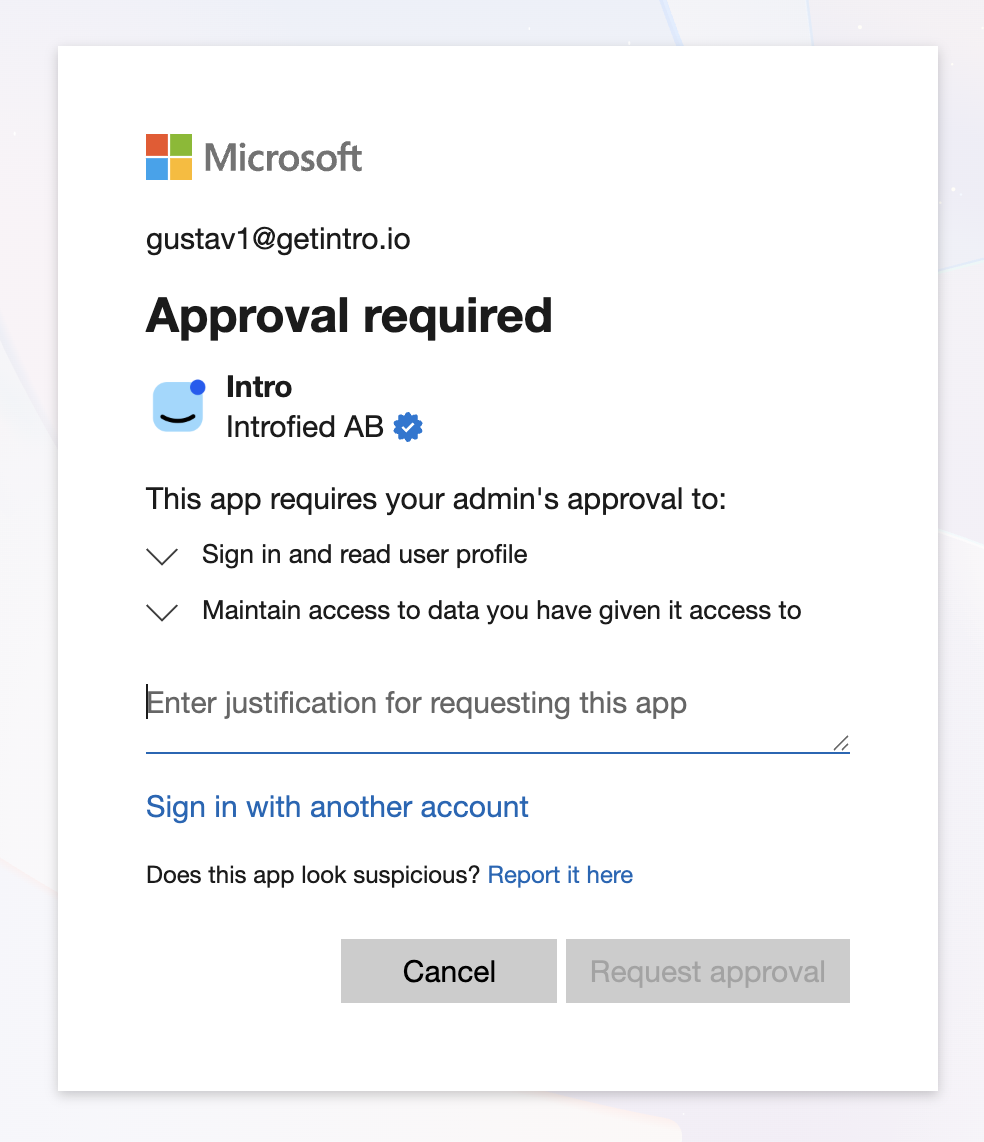
If your organisation requires admin approval, you'll see an "Approval required" screen. Add a short justification (for example, "Needed to send candidate outreach via Intro") and click Request approval.
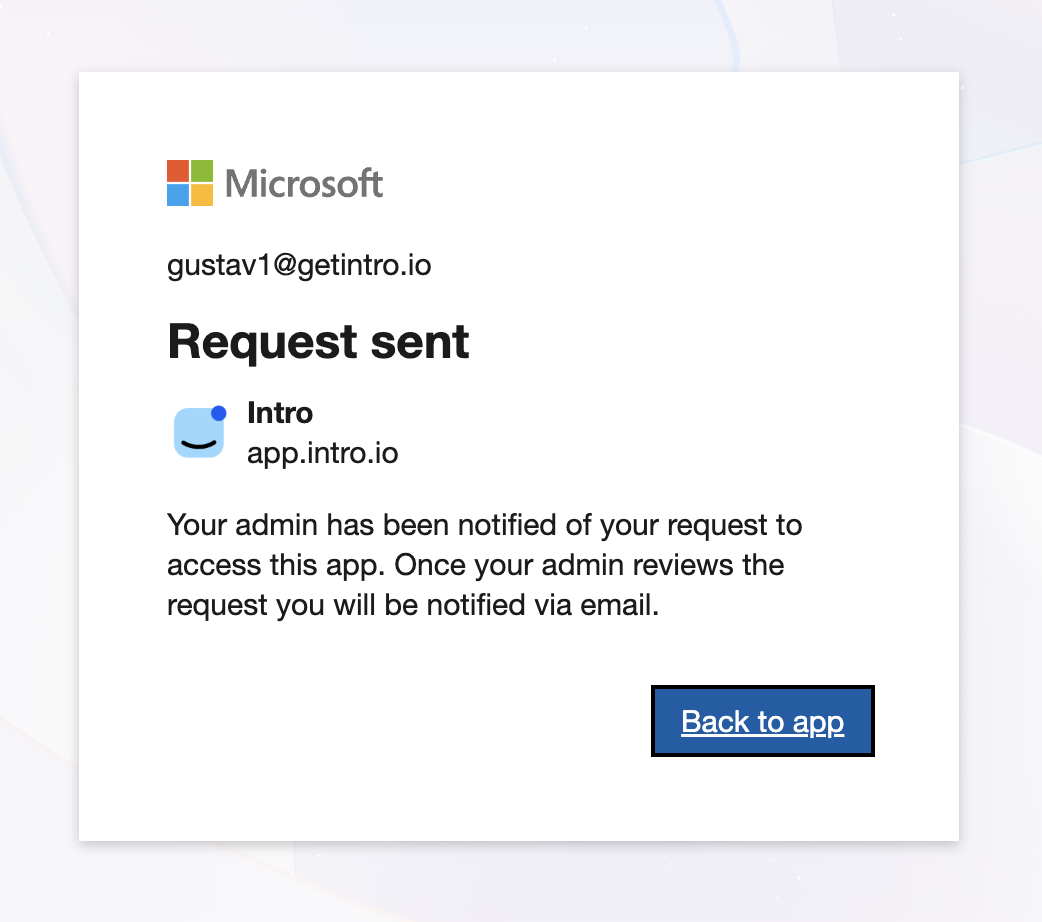
Once you've requested approval, Microsoft confirms that your request has been sent. Your admin is notified automatically, and you'll receive an email once they've reviewed it.
When your admin has approved the app, simply log in to Intro again with your Outlook account to finish connecting your inbox.
Part 2: Approve Intro as an admin
If you are the email/Azure admin, you can approve the user's request directly from the Azure portal.
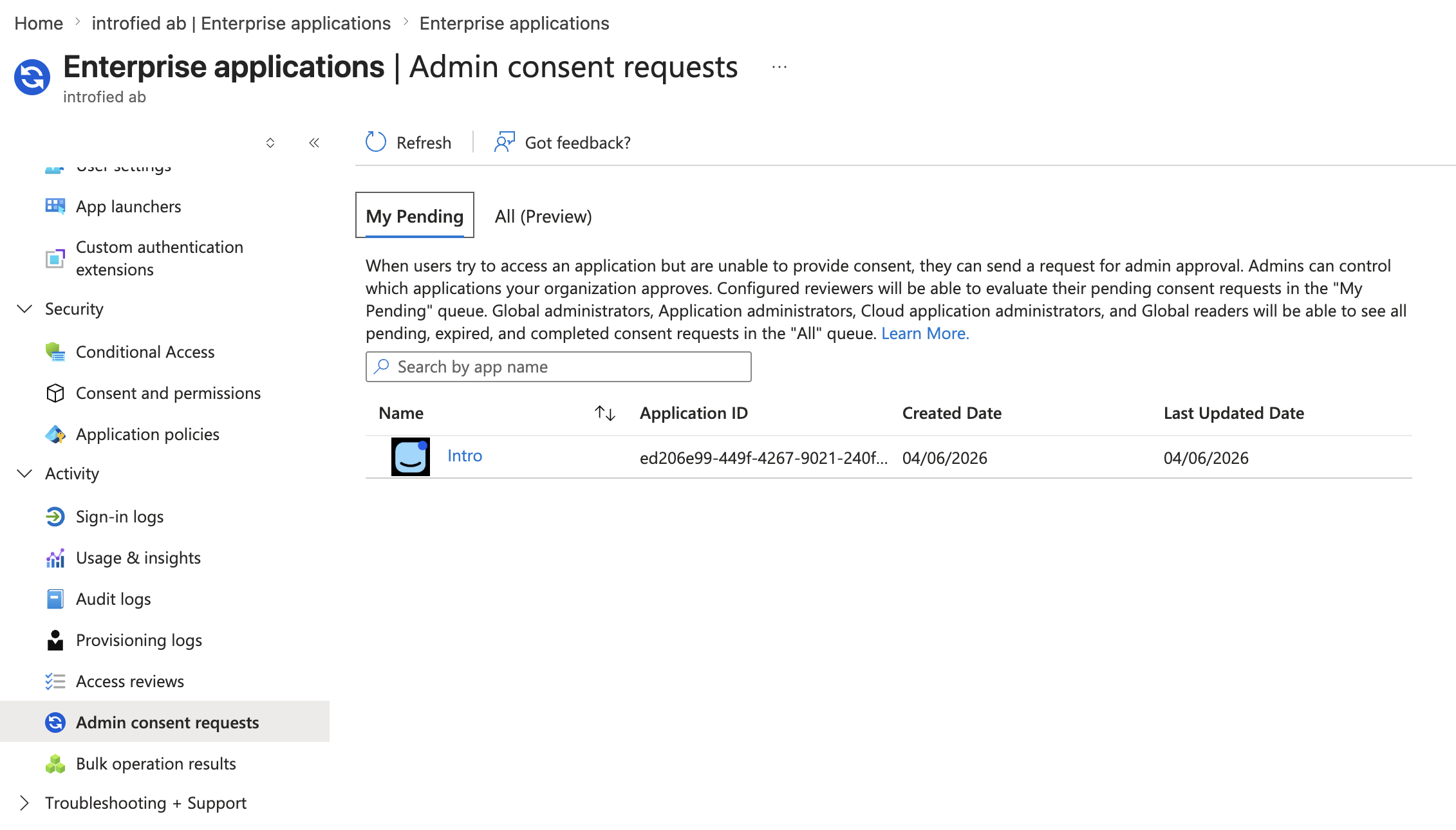
Go to Microsoft Entra admin center (or the Azure portal) → Enterprise applications → under Activity, select Admin consent requests. In the My Pending tab you'll find Intro listed, along with who requested it and when. Click on Intro to review the request.
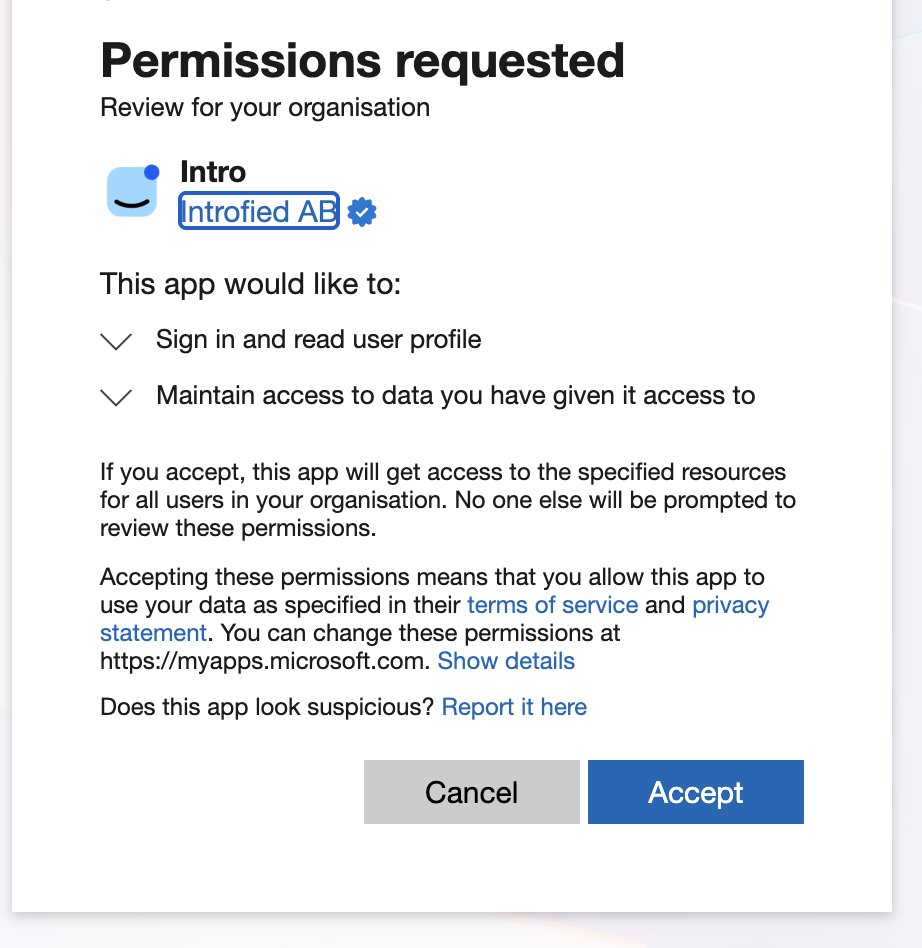
You'll then see the Permissions requested screen. Intro asks to sign in and read the user profile and to maintain access to data you have given it access to. Review the permissions and click Accept to grant consent for your organisation.
That's it! Once consent is granted, the user can log back in to Intro and their Outlook account will connect successfully.
Still need help?
Reach out to our team at hi@intro.io.